


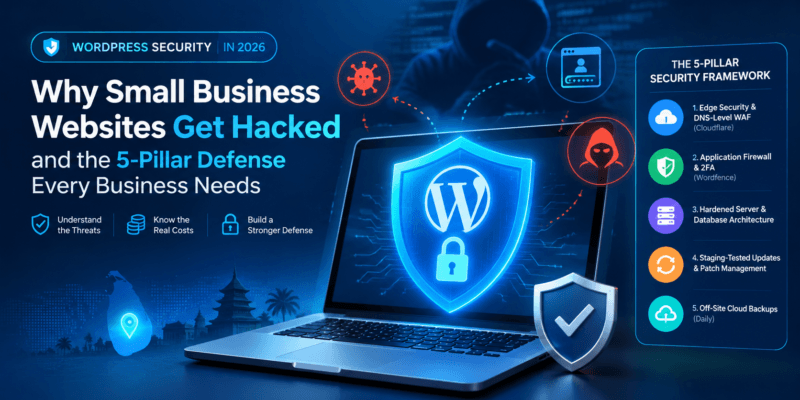
WordPress Security in 2026: Why Small Business Websites Get Hacked and the 5-Pillar Defense Every Business Needs
“Why would anyone want to hack my website? I run a local business in Sri Lanka—we aren’t a multinational bank or a government ministry.”
As web development and security engineers at Epceylon Solutions, this is the single most common misconception we hear from small and medium business owners.
The reality of cybersecurity in 2026 is stark: over 43% of all cyberattacks target small and medium-sized businesses, and WordPress powers over 43% of the entire internet, making it the primary target for automated cyber threats worldwide.
Hackers are almost never human beings sitting behind keyboards manually targeting your business brand. Instead, they deploy sophisticated, automated software bots that crawl thousands of websites every second, scanning specifically for unpatched software vulnerabilities, outdated plugins, and exposed login directories.
When a breach occurs, the fallout is devastating.
In this guide, we reveal what actually happens when a business website is compromised, the top attack vectors exploited in 2026, and the 5-pillar security framework every business must implement to protect its revenue, customer data, and search rankings.
The True Financial Costs of a Website Breach
Many business owners mistakenly assume a website hack merely means a defaced homepage with strange text.
Modern malware attacks are far more insidious—they operate invisibly in the background.
Here is what a breach actually costs your business:
A. Immediate Destruction of Google Search Rankings
When Google’s crawlers detect malicious code, such as spam redirects, deceptive phishing pages, or backdoor scripts, Google flags your domain with a prominent red security warning:
“This site may be hacked”
or Chrome’s:
“Dangerous site ahead”
block screen.
The Impact: Up to 95% of your organic search traffic disappears overnight. Even after cleaning the infection, restoring algorithmic trust and search rankings in Google Search Console can take weeks of manual reconsideration requests.
B. Suspension of Google Ads and Meta Ad Campaigns
If you are actively running Google Ads or Meta Ads (Facebook/Instagram), the automated ad review systems will instantly detect malicious landing page URLs.
The Impact: Your ad campaigns are shut down immediately, and your ad accounts face permanent policy suspensions for “Malicious Software.”
Every rupee spent driving clicks to compromised landing pages is completely wasted.
C. Web Host Account Suspension
When malware on your website begins sending thousands of unauthorized spam emails or executing distributed denial-of-service (DDoS) requests, your hosting provider’s automated defenses will kick in.
The Impact: Budget shared hosting providers will instantly suspend or terminate your cPanel account to protect other tenants on the server.
Most hosting providers will not clean the infection for you—they leave you locked out until you hire a professional security team.
D. Silent SEO Spam & Brand Reputation Damage
Attackers frequently inject hidden casino, pharmaceutical, or counterfeit luxury goods links into your database, known as “Japanese Keyword Hacks” or “Pharma Hacks.”
Your website displays normal pages to you, but Google renders thousands of spam URLs under your domain, completely ruining your company’s professional reputation.
Top 4 Attack Vectors Used Against WordPress in 2026
To defend your website, you must understand how malicious actors break in.
1. Outdated Plugins and Themes — Over 85% of Exploits
WordPress core software is exceptionally secure, but third-party plugins and themes contain complex custom PHP code.
When vulnerability researchers disclose a security flaw, hackers immediately reverse-engineer the patch and launch automated bots across the internet to infect sites that haven’t applied the update yet.
2. Nulled (Pirated) Premium Plugins and Themes
Downloading “free” pirated versions of popular premium plugins, such as Elementor Pro, WP Rocket, or premium WooCommerce addons, from third-party websites is guaranteed suicide for your business.
Nearly 100% of nulled files contain obfuscated base64 backdoors designed to grant hackers administrative access the moment they are uploaded.
3. Brute Force & Credential Stuffing
Bots relentlessly attack standard administrative entry points like:
/wp-login.php
and:
xmlrpc.php
They test millions of leaked username and password combinations.
If your username is admin and your password is easy to guess, automated tools will compromise your dashboard within hours.
4. Shared Server Cross-Contamination
If your website is hosted on low-quality, unmanaged shared hosting alongside hundreds of other neglected websites, an infection in an unrelated neighbor’s directory can jump across server boundaries to infect your files.
The 5-Pillar WordPress Security & Maintenance Framework
Securing a business website requires a defense-in-depth approach.
At Epceylon Solutions, our engineering team implements this exact 5-pillar security architecture across all client web platforms:
[ Visitor / Bot Traffic ]
           │
           ▼
┌────────────────────────────────────────────────────────┐
│ PILLAR 1: Edge Security & DNS-Level WAF (Cloudflare) │
└────────────────────────────────────────────────────────┘
           │
           ▼
┌────────────────────────────────────────────────────────┐
│ PILLAR 2: Endpoint Application Firewall (Wordfence) │
└────────────────────────────────────────────────────────┘
           │
           ▼
┌────────────────────────────────────────────────────────┐
│ PILLAR 3: Hardened Server & Database Architecture   │
└────────────────────────────────────────────────────────┘
           │
           ▼
┌────────────────────────────────────────────────────────┐
│ PILLAR 4: Staging-Tested Updates & Patch Management  │
└────────────────────────────────────────────────────────┘
           │
           ▼
┌────────────────────────────────────────────────────────┐
│ PILLAR 5: Isolated Off-Site Cloud Backups (Daily)   │
└────────────────────────────────────────────────────────┘
Pillar 1: Edge Security & DNS-Level WAF (Cloudflare Pro)
The most effective way to protect a server is to prevent malicious traffic from ever reaching it.
Implementing a DNS-level Web Application Firewall (WAF) through Cloudflare inspects incoming traffic at edge data centers worldwide.
It automatically challenges malicious bots, filters SQL injections, mitigates DDoS attacks, and blocks bad IP ranges before they consume your origin server resources.
Pillar 2: Application Firewall & Two-Factor Authentication (2FA)
Install an enterprise-grade endpoint security engine, such as Wordfence Pro or Sucuri, to monitor live file modifications and scan core directories for code injections.
Enforce mandatory Two-Factor Authentication (2FA) for all Administrator and Editor accounts using authenticator apps such as Google Authenticator or 1Password.
Disable xmlrpc.php if not in use, as it is a primary vector for brute-force amplification attacks.
Pillar 3: WordPress Core & Database Hardening
Change Default Database Prefixes
Change default wp_ database table prefixes to custom randomized strings during installation.
Protect the Uploads Directory
Disable direct PHP file execution in the /wp-content/uploads/ directory to prevent uploaded media containing malicious executable scripts.
Disable the Built-in File Editor
Disable the built-in file editor using:
DISALLOW_FILE_EDIT = true
in wp-config.php.
This prevents compromised admin accounts from altering theme files directly from the dashboard.
Pillar 4: Staging-Tested Proactive Maintenance
Many business owners avoid updating plugins because they fear an update will “break the layout.”
This fear leaves sites vulnerable for months.
The Professional Solution
Always maintain a staging environment.
Test core, plugin, and PHP updates on a staging clone first.
Once QA passes, deploy the updates smoothly to production without downtime.
Pillar 5: Daily Off-Site Cloud Backups & Disaster Recovery
If the worst happens, your backup is your insurance policy.
Never store website backups solely on the same web server hosting your live site.
If the server is compromised or ransomware strikes, your backups will be destroyed too.
Automate encrypted, daily off-site backups directly to an isolated cloud bucket such as:
- Amazon S3
- Google Cloud Storage
- Backblaze B2
with a guaranteed 15-minute disaster recovery protocol.
Quick Website Security Checklist for Business Owners
| Security Layer | Recommended Practice | Status |
|---|---|---|
| Login Security | Two-Factor Authentication (2FA) active on all admin roles | 🔒 Mandatory |
| Edge Firewall | Cloudflare WAF active with bot fight mode enabled | 🔒 Mandatory |
| Plugin Hygiene | Zero inactive or abandoned plugins installed | ⚡ High Priority |
| Theme Integrity | 100% genuine licensed software (No nulled assets) | 🔒 Mandatory |
| Backups | Automated daily off-site snapshots (Retained 30+ days) | 🔒 Mandatory |
| SSL/TLS | Full HTTPS encryption with HSTS security headers | ⚡ High Priority |
Is Your Website Protected Against Modern Threats?
A successful website is not just an aesthetic showcase; it is a vital business asset that processes sales, captures client inquiries, and protects your brand equity.
Leaving your website unmonitored is like leaving your physical retail storefront unlocked overnight.
At Epceylon Solutions, we offer enterprise-grade web development, custom Web Application Firewall (WAF) engineering, proactive monthly WordPress maintenance retainers, and emergency malware remediation services for businesses in Sri Lanka and worldwide.
👉 Don’t wait for a security warning to freeze your business.
Contact our cybersecurity specialists today at https://epceylon.com/ to claim your Comprehensive Website Security & Vulnerability Audit!
Protect Your WordPress Website Before It's Compromised
Your website does not need to be a multinational corporation to become a target.
Automated threats do not care about the size of your business—they look for vulnerabilities.
A proactive, layered security strategy can help protect your website, customer data, revenue, and online reputation against modern threats.
Epceylon Solutions — Enterprise-Grade Web Security for Businesses in Sri Lanka and Worldwide.